Step 2: Find Eligible Sites

  1. Use the Health Workforce Connector (HWC)
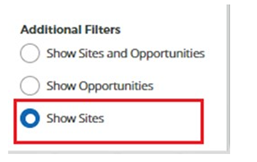
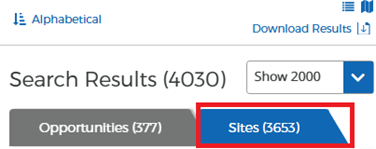
  2. Follow HWC search guidance
  3. Explore other resources for finding eligible sites
  4. Frequently Asked Questions about identifying employers

To identify eligible sites that meet your service commitment:

1. Use the Health Workforce Connector (HWC)

The Health Workforce Connector (HWC) is the main tool you will use to search for NHSC-approved sites. It is a database that contains site records for one scholarship and four loan repayment programs (LRPs). 

  1. How to Search
    • To begin your job search, follow the Search Guidance below in Section #2.
    • Add filters to narrow your results as needed.
    • Review HWC features for additional search instructions, to create a profile to connect with sites, opportunities and other clinicians.
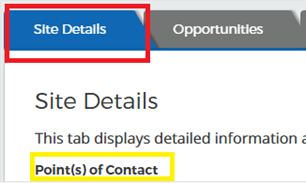
  2. Review Site Record Details
    • Each site record includes:
      • Site Point of Contact (POC)
      • Site status for each LRP (active or inactive)
      • Health Professional Shortage Area (HPSA) scores
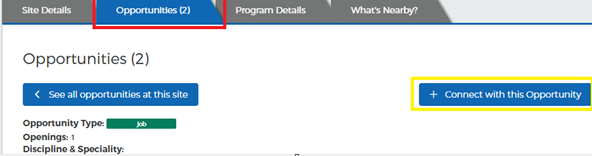
      • Job opportunities (if posted by the site)
  3. Check the Site Status
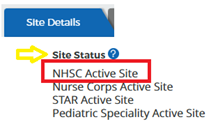
    • Go to the “Site Details” tab to review the site status for the NHSC program.
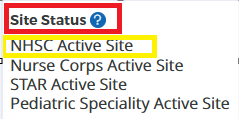
    • Only sites marked “NHSC Active Site” are eligible, as this means the site is NHSC-approved.
    • Do not check site status for other loan repayment programs – they are separate programs and do not apply to NHSC Scholars or S2S participants. 

      NHSC active site highlighted under site status
  4. Check the Site Status
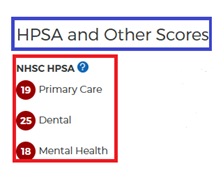
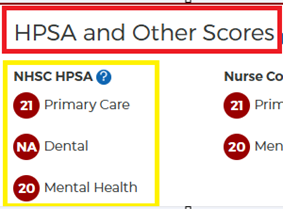
    • Look at “HPSAs and other scores” section on the right side of your screen. Check that the site has your HPSA score. 
       

      HPSA and Other scores
  5. Check the HPSA Score
    • Look at “HPSAs and other scores” section on the right side of your screen. Check that the site has your HPSA score.
  6. Contact the following regional analysts if you are considering working in Alaska, Hawaii, or any one of the U.S. territories.

2. Follow HWC search Guidance

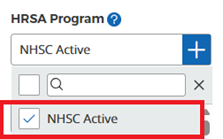
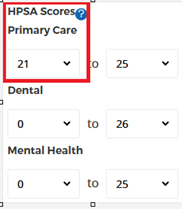
Follow the Health Workforce Connector search criteria exactly as shown to obtain a comprehensive list of sites in your area. 

3. Explore other job search resources

Explore other job search engines, organization websites, and any resources that will help you identify a potential employer.

  • To broaden your search, we encourage you to use multiple job search resources and visit organization websites to explore positions. 
  • Attend a Virtual Job Fair.
  • Start networking—follow NHSC on LinkedIn or any other organizations where you would like to work.
  • Reach out to potential employers to secure an interview and obtain a job offer.

FAQs about identifying employers

Contact us

Call 1-800-221-9393
(TTY: 1-877-897-9910) M – F, 8 a.m. – 8 p.m. ET
(except federal holidays)
Email us or GetHelp@hrsa.gov
My BHW, select Ask a Question

Date Last Reviewed: